Built for solo operators and micro-businesses
Describe the job. Get it signed, invoiced, and paid.
CloseSign is the all-in-one deal tool for solo operators and small trades. Say what the work is in a sentence, and it drafts a clean agreement, gets it signed on your client’s phone, then invoices the job and tracks the payment — the whole deal in one place, on the web and in native apps.
Free forever plan — no card to start30 days of Pro free, no card
Agreement
Kitchen remodel — Phase 1
Signed by client
The deal doesn’t end at “yes”
For most solo operators the job is agreed out loud, half-documented, and paid late. Every gap in that chain is where the trouble — and the lost income — lives.
A text isn’t a contract
A thumbs-up emoji doesn’t capture the scope, the price, or the deadline. When memories differ later, there’s nothing to point to.
The doc nobody signs
You attach a PDF, they mean to sign it, it sinks in an inbox — and you start the work on a maybe instead of a yes.
Getting paid is its own chase
Signed is only half of it. Then come the invoices, the deposits, and the “did that go through?” — the part where a solo operator’s money actually leaks out.
From “sounds good” to paid, in four steps
Drafting and sending takes a couple of minutes — most of the rest runs itself.
- 1
Describe the job
One or two plain sentences — the work, the price, the deposit. No forms, no templates to fill.
- 2
AI drafts it
You get a clean one-page agreement with the right clauses for your trade, ready to tweak.
- 3
They sign on their phone
A finger or a typed name signs it. Both sides get a tamper-evident PDF and a full audit trail.
- 4
Invoice and get paid
Bill the signed job in a tap, set it to recur, and track the deposit and payment — all in one place.
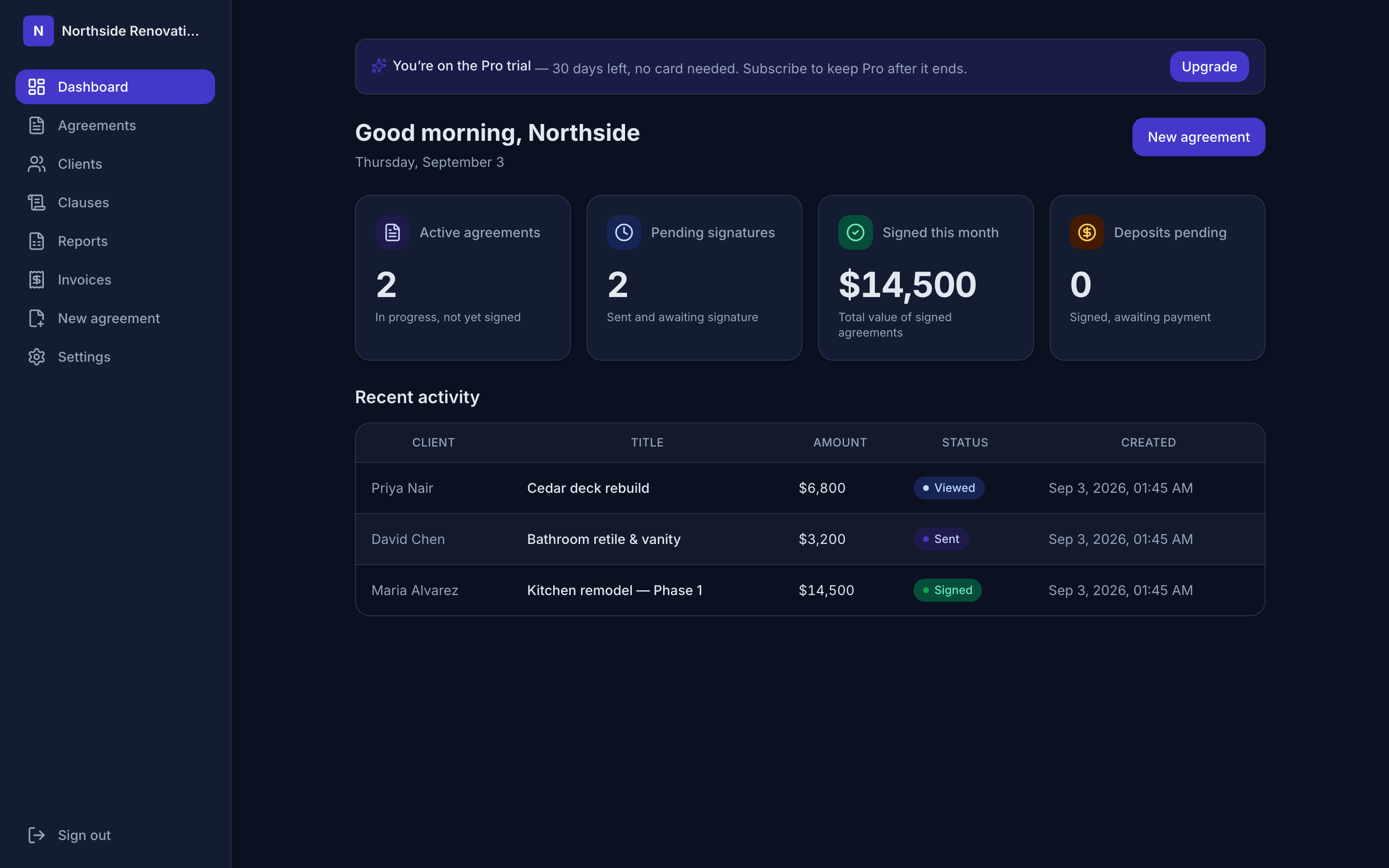
Run the whole business from one screen
Active deals, who still owes a deposit, and every agreement and invoice — no spreadsheet to keep in sync on the side.
Everything the deal needs, start to finish
Five areas, one tool — no more stitching together a contract app, an invoicer, and a spreadsheet.
Agreements & signing
From a spoken yes to a signed, tamper-evident PDF.
7 featuresInvoicing & billing
Turn a signed job into a paid one — without leaving CloseSign.
5 featuresClients & portal
Everyone you work with, and a private view for each of them.
3 featuresTeam & reporting
See the whole business, and share the work when you grow.
3 featuresLanguage & accessibility
Meet every client in their own language, on any device.
3 features$0
to start — no card, free forever
~2 min
to draft and send an agreement
15
trades with tailored clauses
24
languages, including 4 right-to-left
Also in your pocket
Native iOS and Android apps run the same workflow — draft an agreement with your voice, send it, and track jobs from wherever the work is.
Simple pricing
Invoicing, the client portal, templates, and all 24 languages are on every plan. Paid tiers just raise your monthly volume and add branding, SMS, and team seats. Every account starts with 30 days of Pro, free and with no card.
Free
Try it out
$0/forever
- 3 agreements / month
- AI drafting
- Email delivery
- Signed PDF + audit trail
Pro
For a busy solo operator
$19/month
- 50 agreements / month
- Custom logo + brand color
- SMS reminders
- Everything in Free
Business
For growing teams
$49/month
- Unlimited agreements
- Up to 5 team seats
- Custom branding + SMS reminders
- Everything in Pro
Straight answers
What is an e-signature agreement?
It’s an agreement that’s signed electronically — your client types or draws their name on a screen instead of on paper — captured together with a record of who signed, when, and from where. That record is what turns a signature into evidence: CloseSign timestamps each step, notes the signer’s IP address, and stamps a SHA-256 hash of the document onto a certificate page, so the finished PDF can be checked for tampering later. It’s the same idea used for the service agreements, quotes, and statements of work that small businesses sign every day.
Is a text message agreement legally binding?
Sometimes a text exchange can form a contract — but that’s the wrong question to bet a job on. The hard part isn’t whether a contract exists; it’s provingwhat you both agreed to and that the right person agreed. A screenshot doesn’t establish the full scope, the amount, or the signer’s identity, and it’s easy to dispute. A proper e-signed agreement — with the terms written down, a signature, timestamps, and an audit trail — is simply far stronger, clearer evidence if anyone ever questions the deal.
CloseSign helps you capture that evidence, but it isn’t legal advice and doesn’t guarantee any particular document is enforceable in your area — see our Terms. When a deal is significant, have your agreement reviewed by a professional.
Stop chasing signatures — and invoices.
Draft, sign, invoice, and get paid from one place. Your first agreement is free.
Get started free